An existing rendering as source image
Upload the rendering and describe what's missing – daylight, vegetation, people, a believable sky. Geometry and perspective remain the basis; with Masking you change only the surface that looks fake.
Upload a photo of the existing building, the construction site or the plot and show what it should become: a new facade, a different material, a furnished room, a building on the parcel. Perspective and neighbors remain your photo – what changes is what you describe or mark.
6,500+ registered users in CH, DE and AT.Over 100,000 visualizations in the first year.


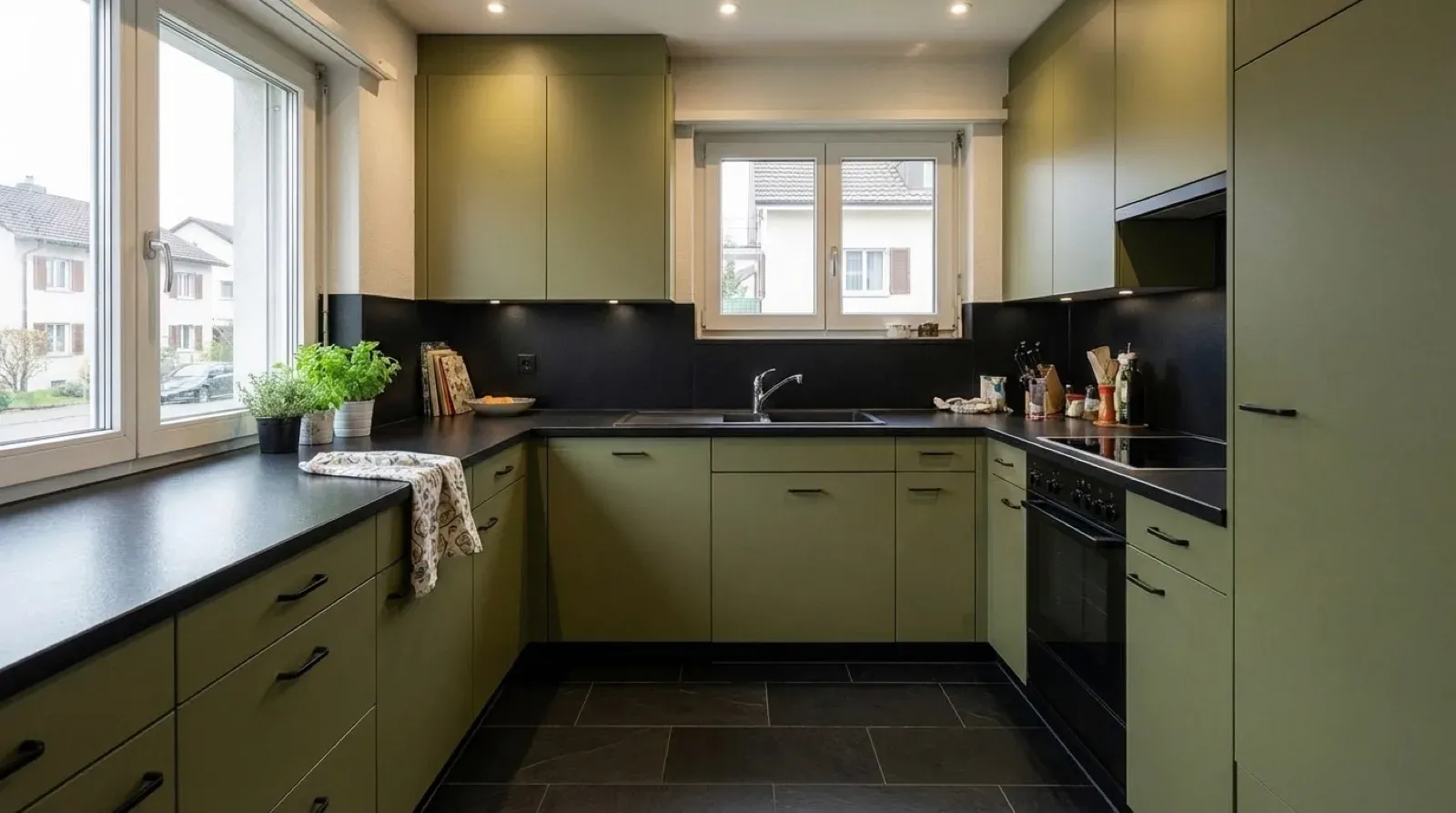
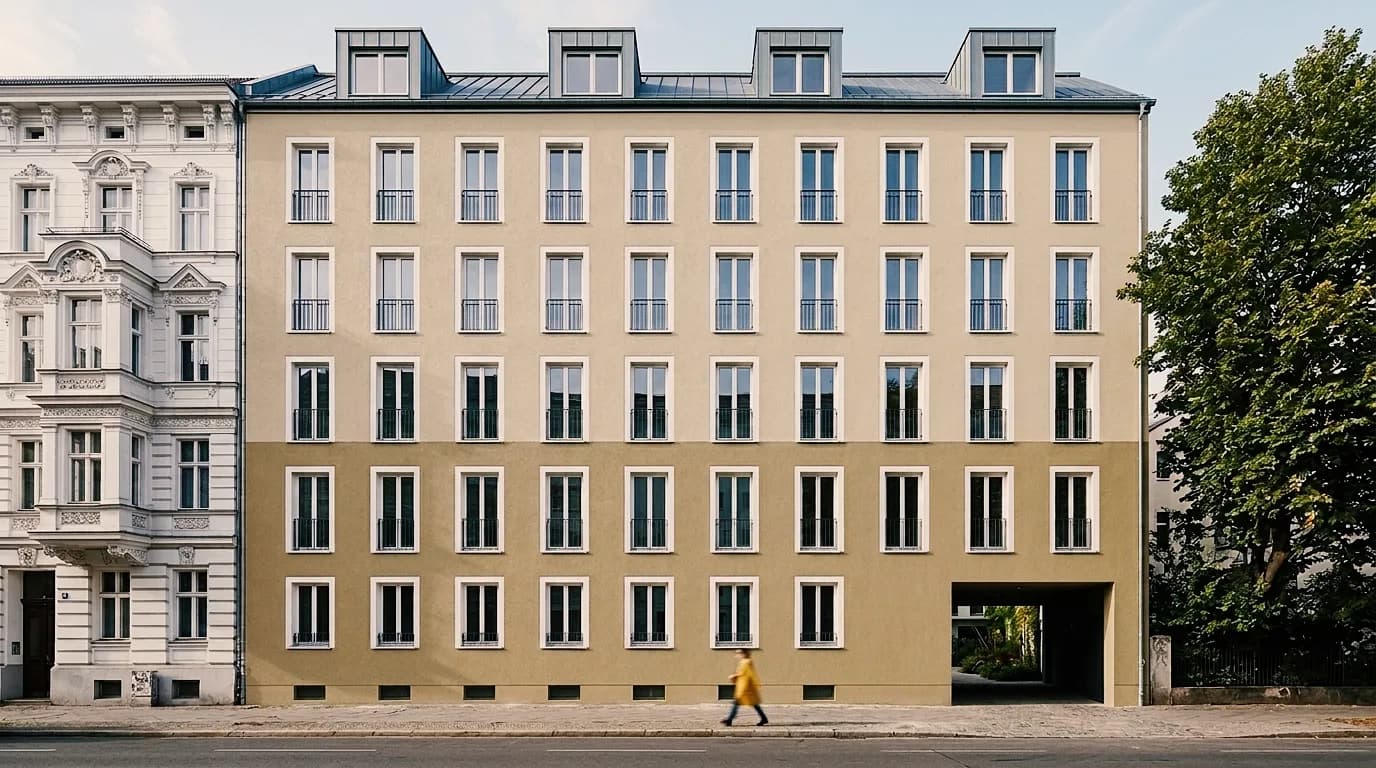
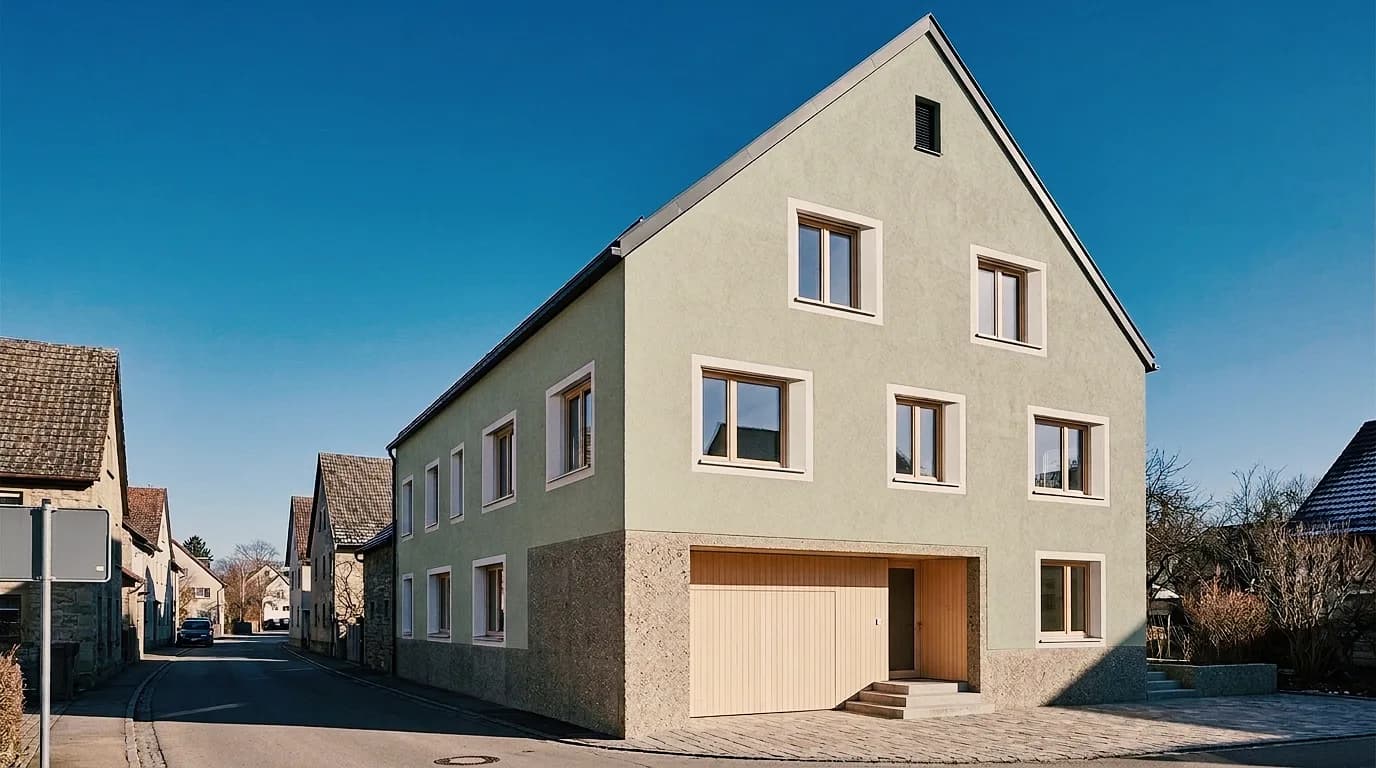
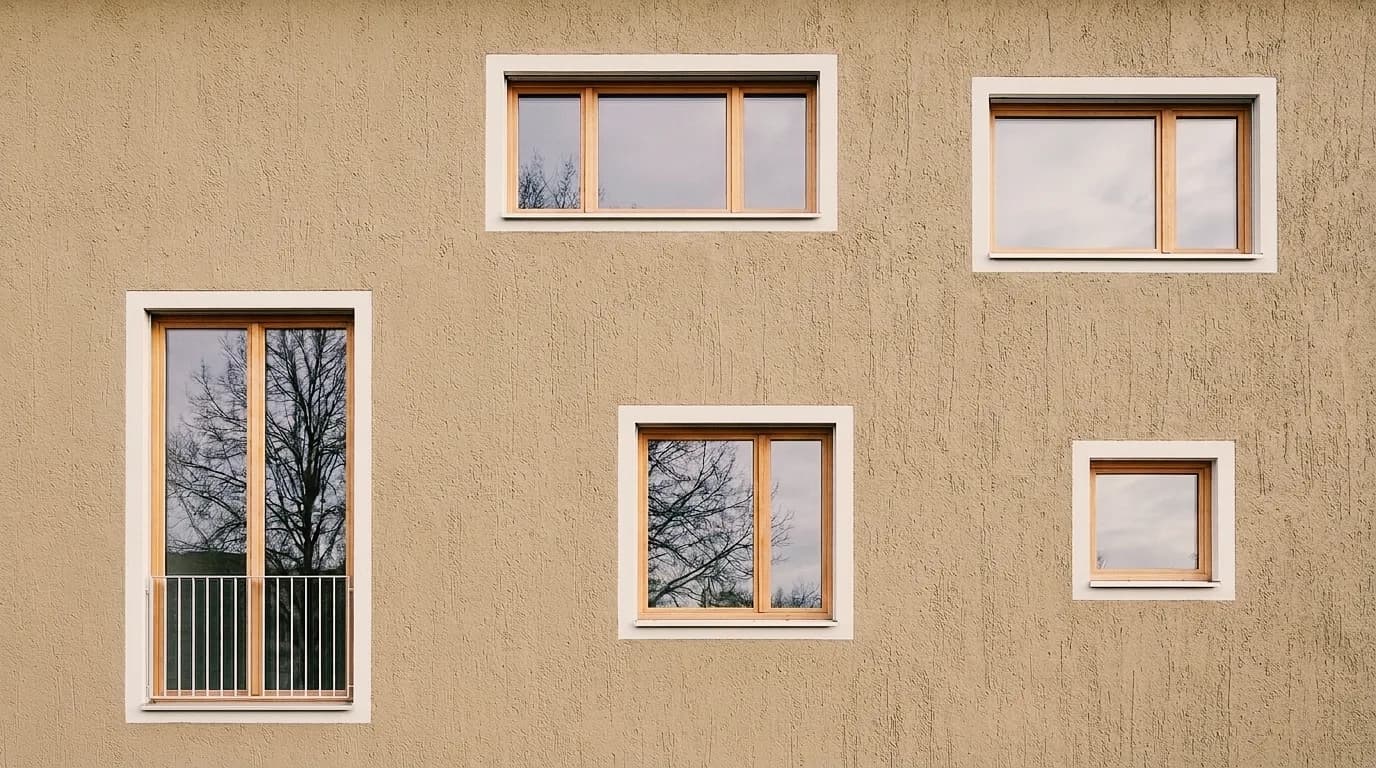
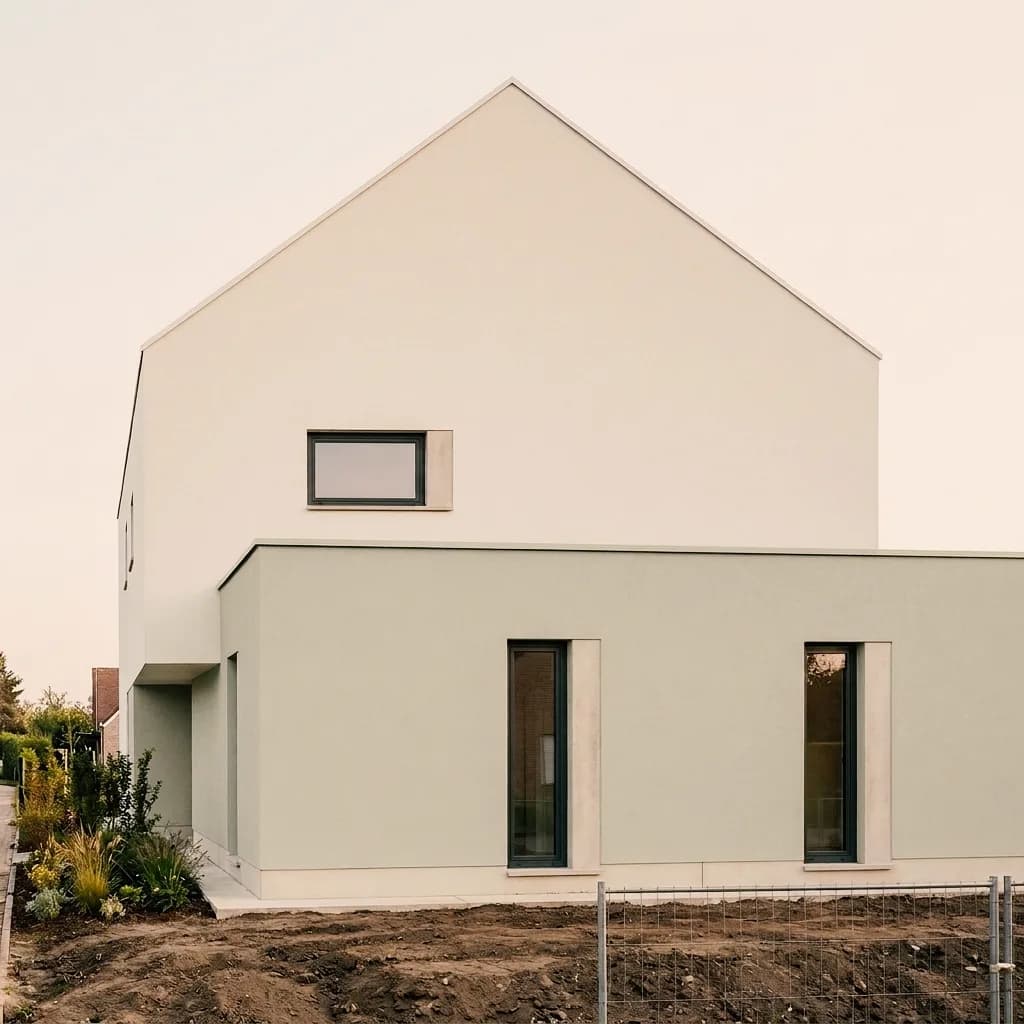
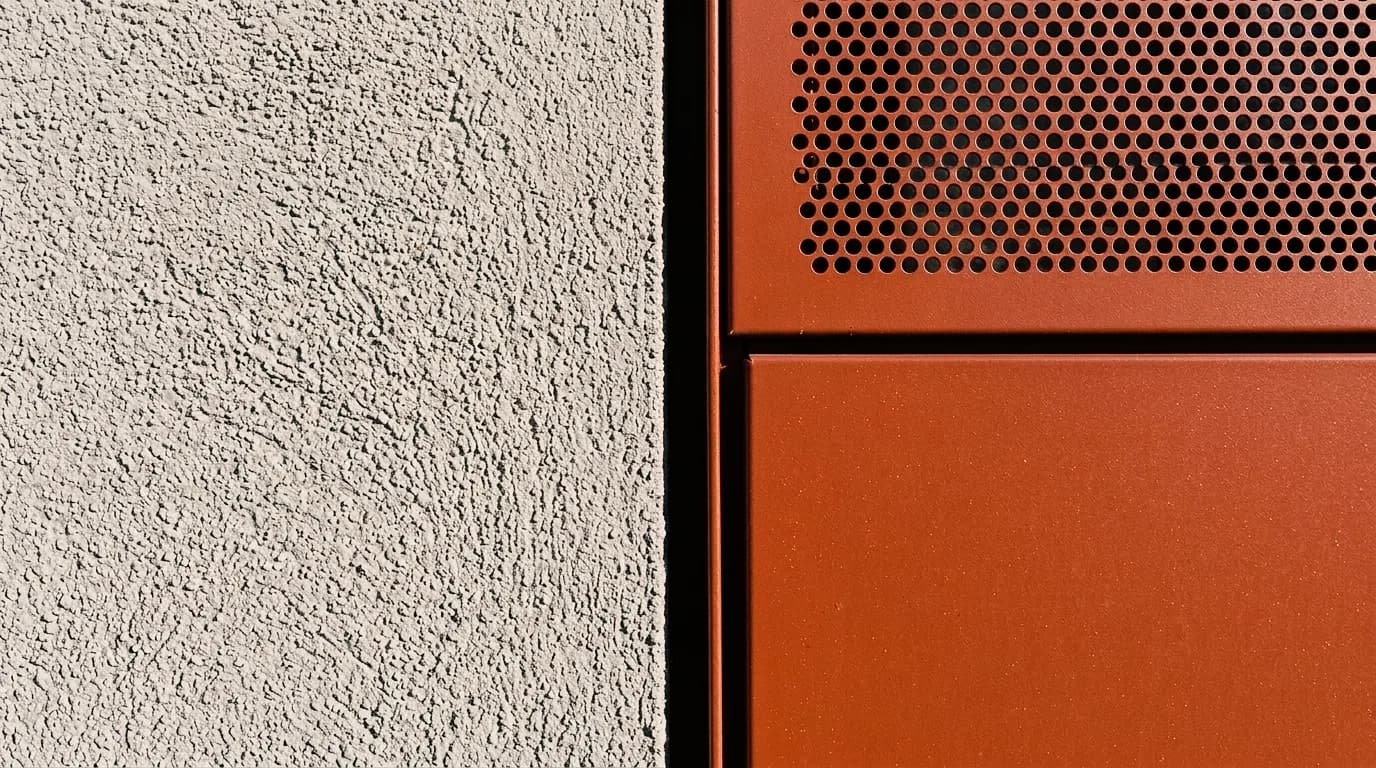
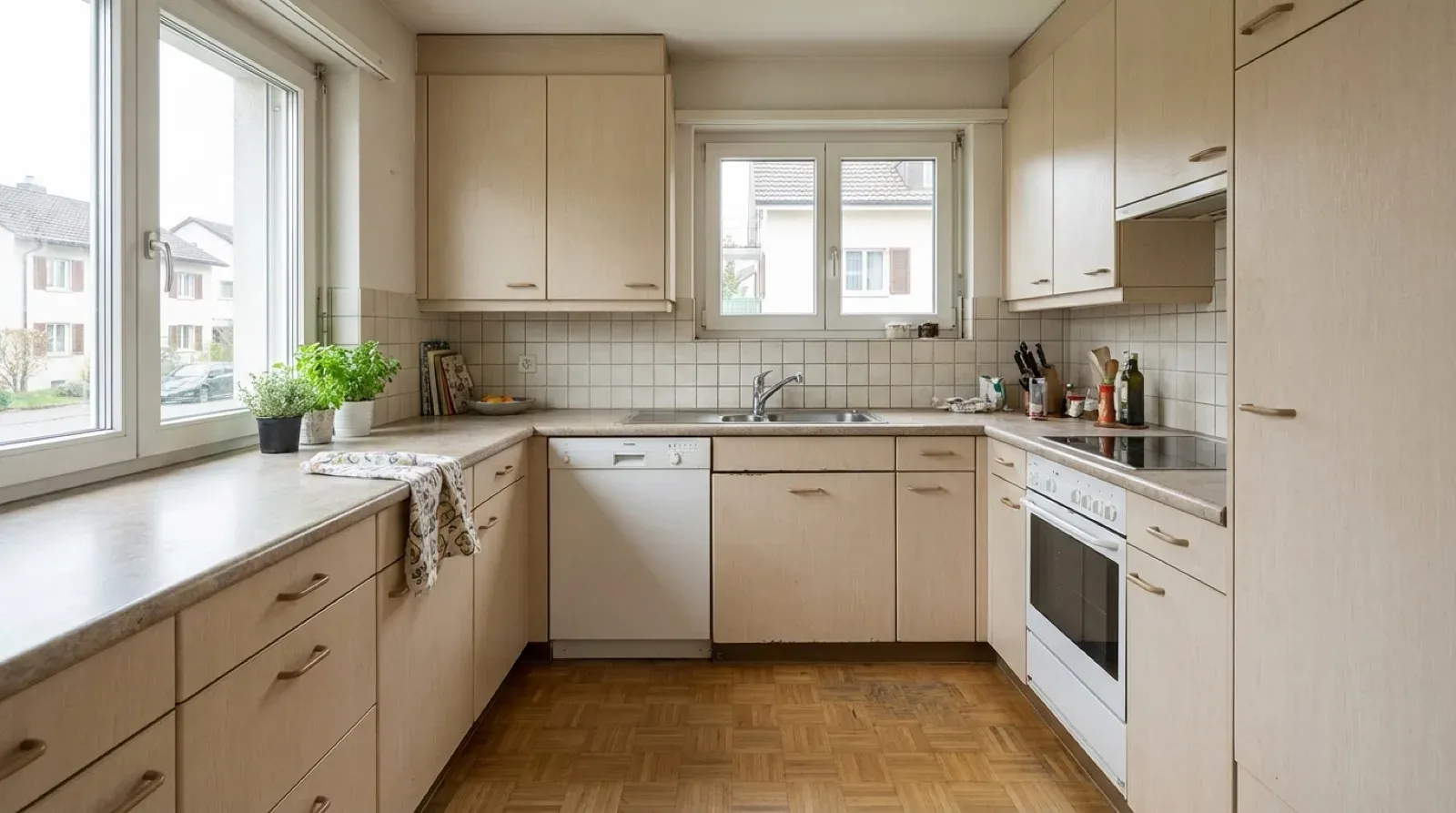
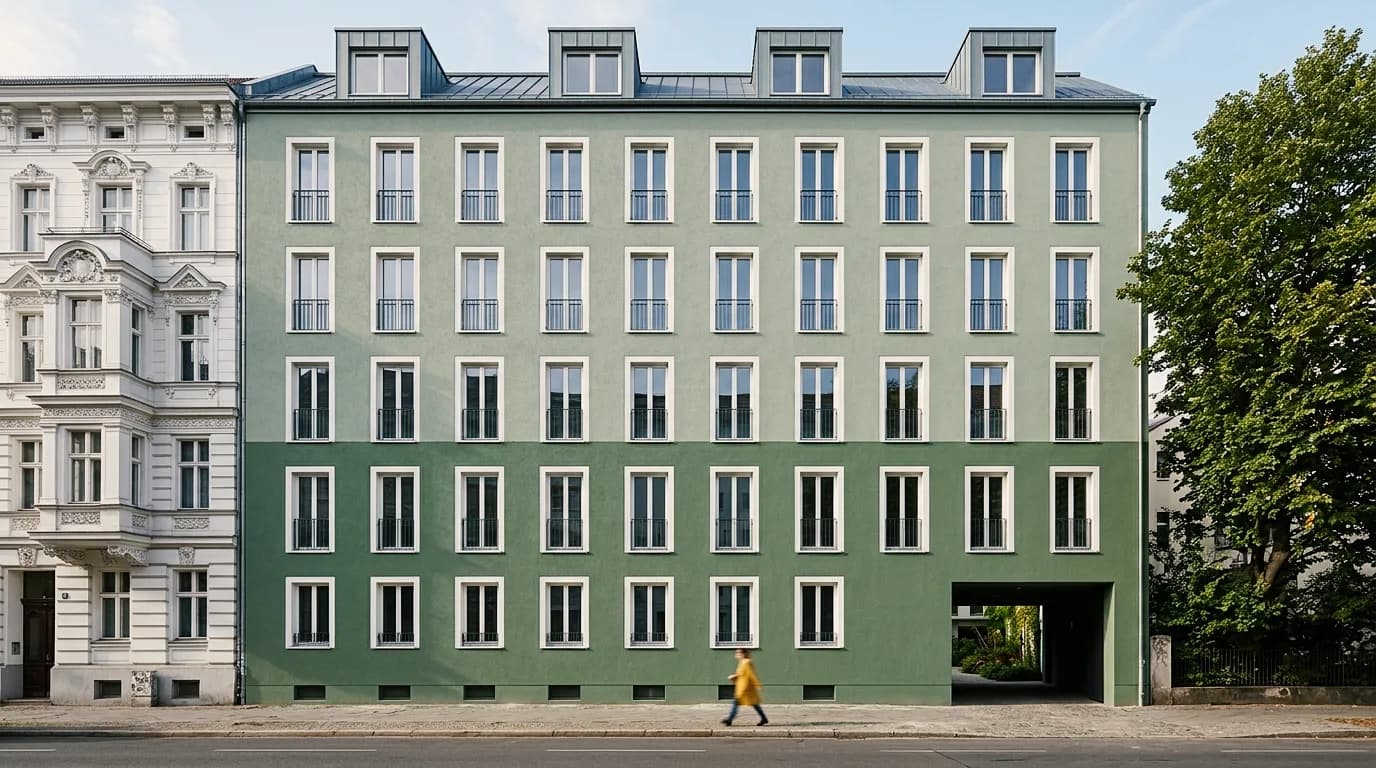
Facades and a kitchen as photos and as visualizations – perspective, neighbors and light from the photo, the proposal from you. Click an example to switch from photo to image.
01
The existing U-shaped kitchen with tiled backsplash and parquet, and the visualization of the renovation – new fronts, backsplash and light; room, window and perspective from the photo.
02
The two-tone facade in sage green and in two sand tones – the Gründerzeit building next door, the tree and the street stay as they are.
03
The village house with gable roof in beige-gray float-finish plaster and in light sage – for the meeting with the owners or the municipality.
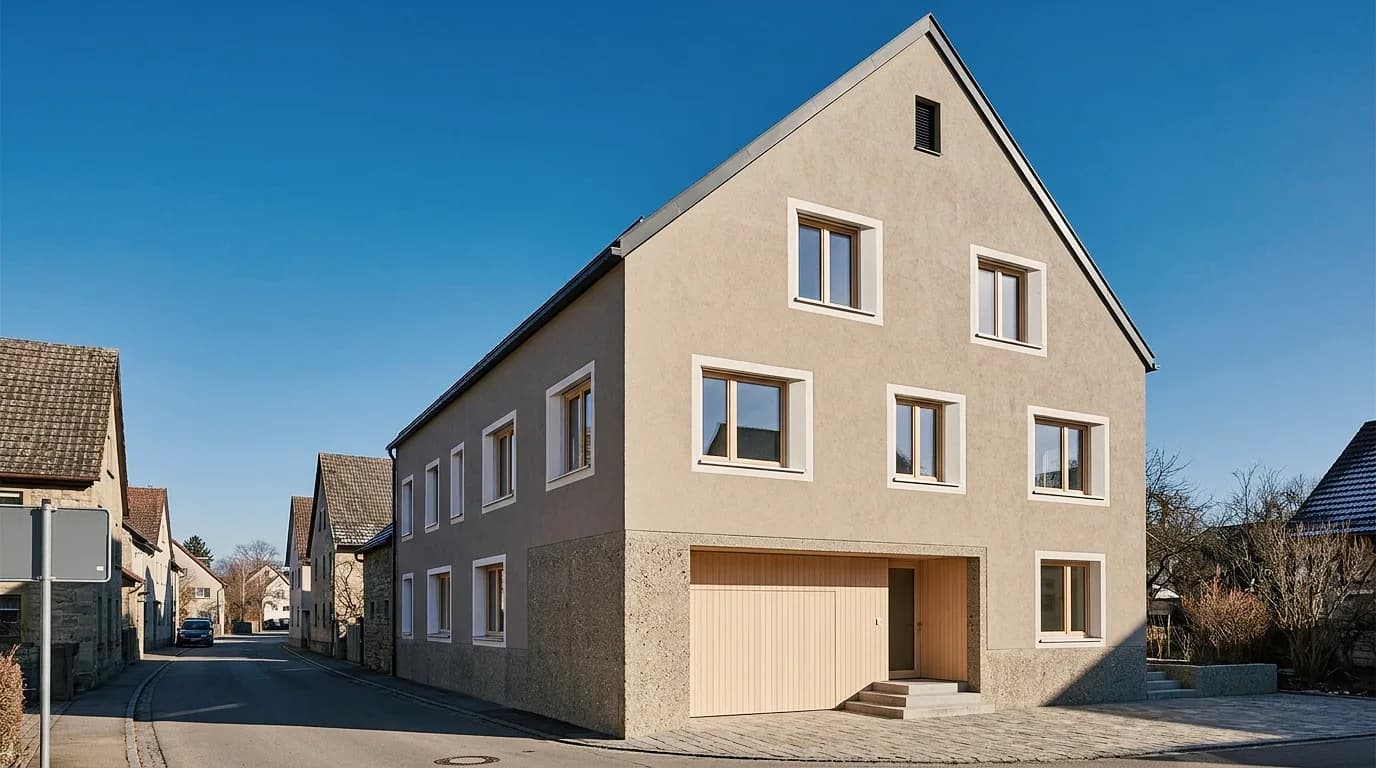
04
The scraped-plaster facade with white window surrounds in sage green, in sand beige and as a fine float finish – three proposals from one image, for comparison in Boards.
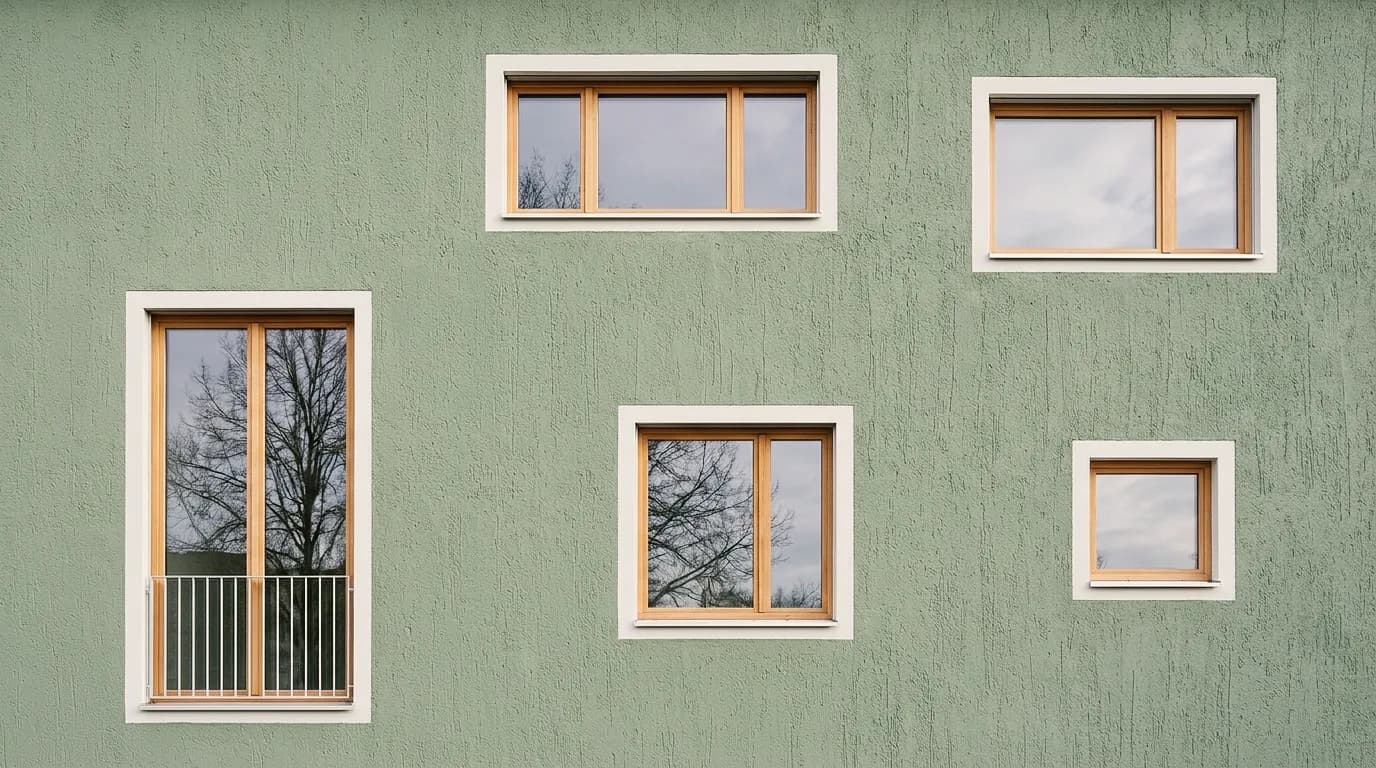
05
The gabled house with two-tone smooth plaster, with a sage-green annex and with float-finish plaster on the gable – decided surface by surface.
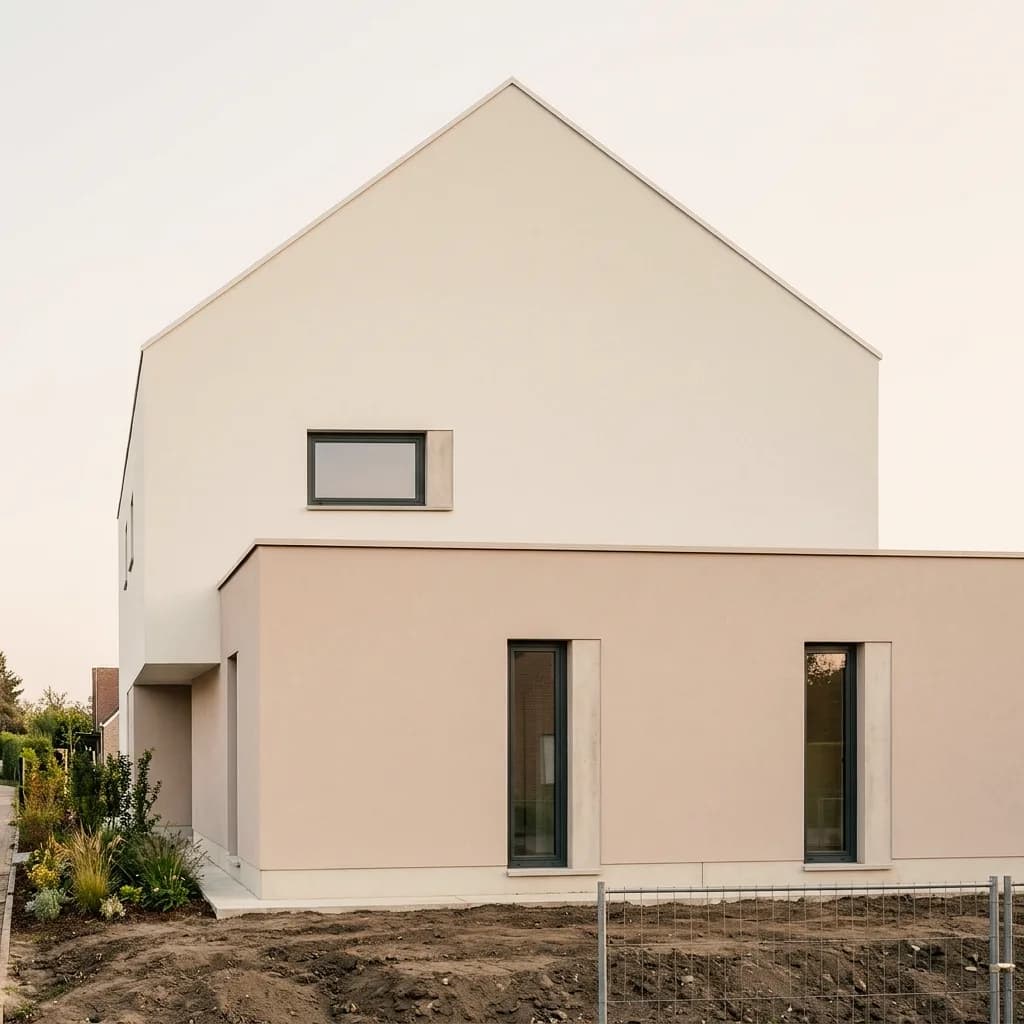
06
Coarse spray plaster next to red-brown metal, and the same detail as fine scraped plaster – showing how a material looks in the light of the site before a sample is made.
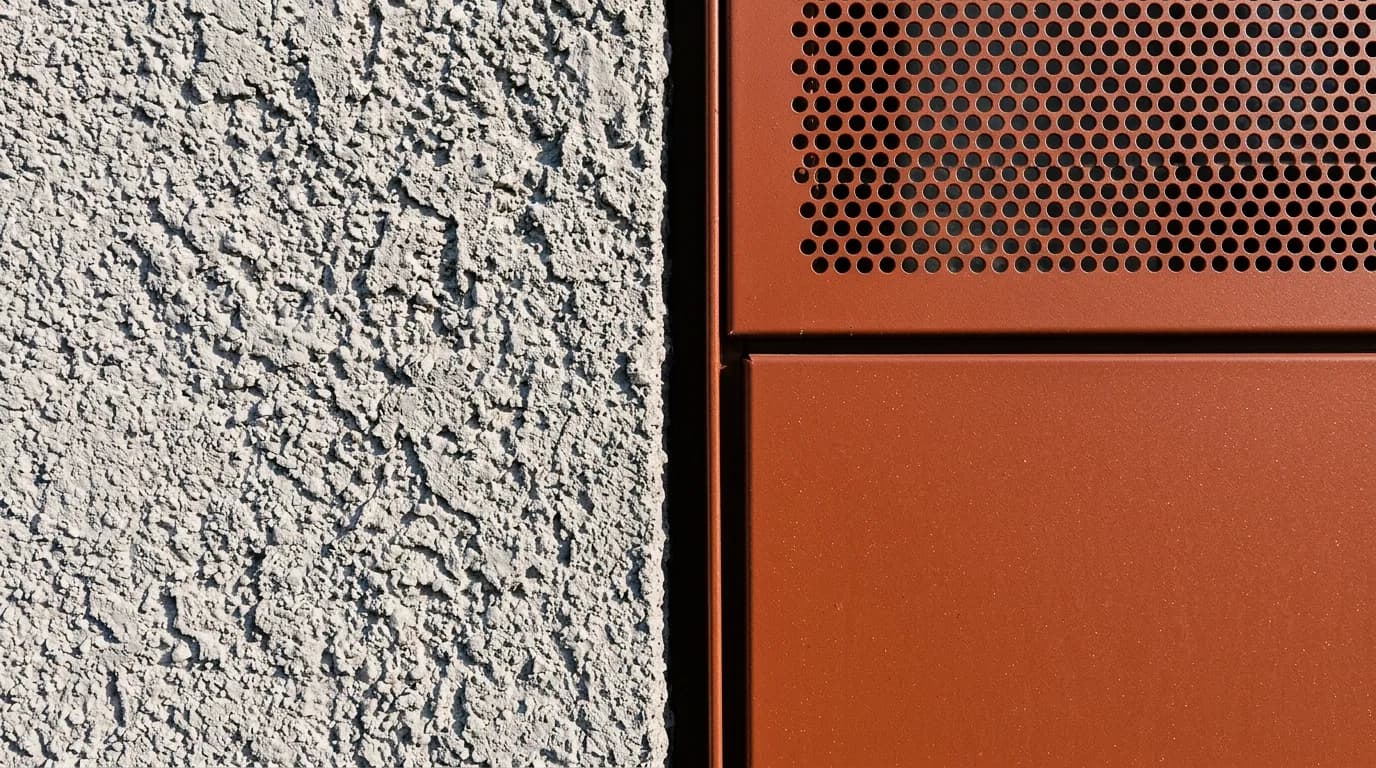
Facades as photos and as proposals, plus white models and the images made from them. Click an image to see the versions.
A photo isn't the only possible input: an existing rendering, a white model or a screenshot from your modeling software becomes an image with light, materials and surroundings the same way.
Upload the rendering and describe what's missing – daylight, vegetation, people, a believable sky. Geometry and perspective remain the basis; with Masking you change only the surface that looks fake.
A screenshot of the white model is enough as input: materials, light and surroundings come from your description or from reference images. The gallery shows what white models have become.
Views from your modeling software are images like any other. Export, upload, describe – and pass on the result as PNG without rebuilding the scene.
A photo becomes comparable proposals. You decide what changes and which image goes into the meeting.
Photograph the existing building, construction site or plot in daylight, as frontally as possible or at a slight angle, as JPG or PNG up to 5 MB. A phone photo is enough; converging lines can be straightened beforehand.
Describe the facade, materials, surroundings or furnishings in plain language, or provide up to six reference images. If only one surface should change, mark it with Masking.
Create several proposals, place them next to the photo in Boards and download the chosen image as PNG.
Mark an area, show material or style with a reference image, and collect the variants in Boards. Here's how it looks in the app.
01
Mark the surface that should change – the facade, the roof, the floor – and the rest of the photo stays as it is. The marked area is recalculated; outside the mask the image may lose a little sharpness.
02
Show material or style with a reference image. The result interprets the sample.
03
Place the photo and the proposals side by side – for the meeting with owners, customers or the municipality where the decision is made.
How firms, businesses and owners use a photo to show what the existing building should become.
Show conversions, added stories and facade variants on a photo of the existing building – for clients, neighbors and design review.
Market the existing property with a proposal: the building after renovation, the shell as a finished house, the parcel with the planned building.
Compare colors and plaster textures on the customer's photo – in the light of the site, before a sample is made.
See how your own house, kitchen or bathroom will look after the renovation – before contracts are awarded.
Try the workflow with a photo of your own first. Free is for non-commercial testing. For use in client projects, choose a paid plan.
Annual payment: 12-month term.
For Testing
Free of charge
200 Credits
up to 40 images, depending on model and resolution
Costs less than one external visualization
CHF 120/ mo
With monthly billing: CHF 150/ mo
Save CHF 360 per year
4'000 Credits
160–800 images or 10–13 videos, depending on model and resolution
excl. VAT · Annual payment: 12-month term
Native 4K and enough credits to never count
CHF 264/ mo
With monthly billing: CHF 330/ mo
Save CHF 792 per year
10'000 Credits
400–2'000 images or 25–33 videos, depending on model and resolution
excl. VAT · Annual payment: 12-month term
Depending on model and resolution. Subscription credits reset monthly and are used first; purchased credit packs do not expire.
A convincing image also has to hold up in everyday design work. In Vizera Labs, we test AI models and editing methods on architecture and interior images – with documented comparisons, measurable criteria and human evaluation.
Are the photo's perspective, openings and neighbors preserved? We compare proposals with the source photo and check what is kept and what is added.
A new facade color shouldn't quietly change the house next door. We measure what happens inside and outside the marked area during local edits.
How close does the result come to your material sample? We compare reference image and visualization and assess how color, surface and material character carry over.
First the facade, then the light, then the furnishings: we examine how image structure, sharpness and colors change across several editing steps.
More pixels don't automatically mean better detail. We compare upscaled images in close-up and check for convincing structures, smoothing and unwanted textures.
Which model suits which task? We compare models on shared test tasks and evaluate image quality, processing time and cost as the basis for our product choices.
Internal Vizera tests. Results apply to the documented tasks, models and settings. You'll find the test scope and limitations with each study.
The photo becomes an image for the decision. For dimensions, construction and permits, your plans remain authoritative.
The image shows how a proposal looks in the photo. Check color, material and scale against the sample and the plan; for building permit applications and heritage protection, it remains an illustration.
With Masking, the image is recalculated; outside the marked area it may lose some sharpness. For print and presentations, upscale the result.
Backlighting, strong distortion or obscured facades leave a lot of room. Take photos in daylight, as frontally as possible, and show the whole surface that should change.
How the individual tools work and what firms and businesses use them for.
Answers on suitable photos, perspective, existing renderings, interiors, targeted changes and rights.
Daylight photos with a clear perspective, frontal or at a slight angle, showing the whole surface that should change – as JPG or PNG up to 5 MB. A phone photo is enough; backlighting, rain and trees in the way make the result less certain.
200 free Credits, once at sign-up. No credit card, no installation.
