What you upload
The floor plan as JPG or PNG up to 5 MB – exported from CAD or a kitchen planner, as a scan or as a screenshot of the listing. The clearer the lines and the more legible the doors and windows, the better.
The plan is there, the image is missing. Upload the floor plan as JPG or PNG – not as PDF or DWG – and choose: colored plan, 3D image, white model or, soon, a 3D model to keep working on. Vizera does not draw floor plans; it shows what you have drawn.
6,500+ registered users in CH, DE and AT.Over 100,000 visualizations in the first year.


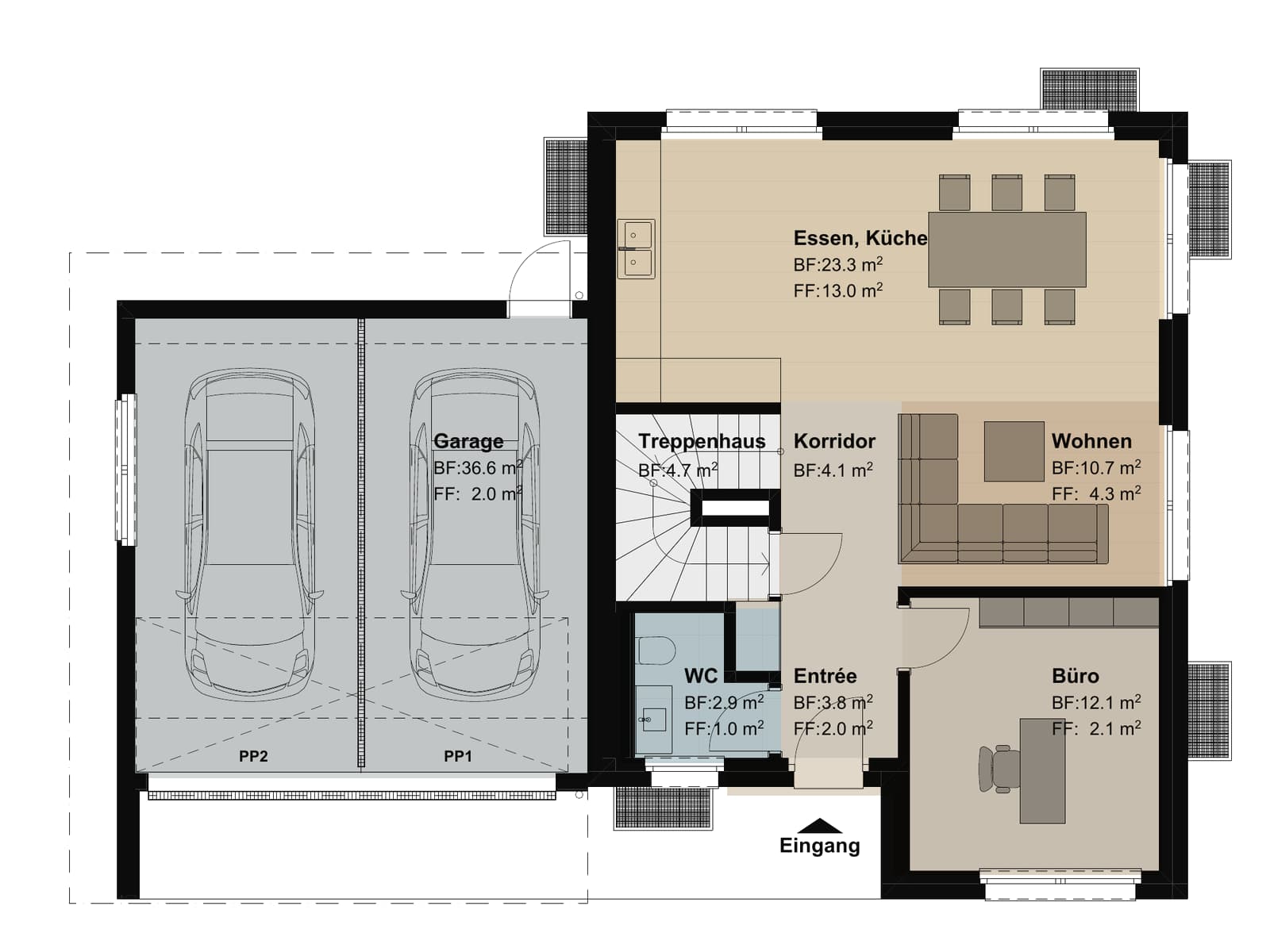
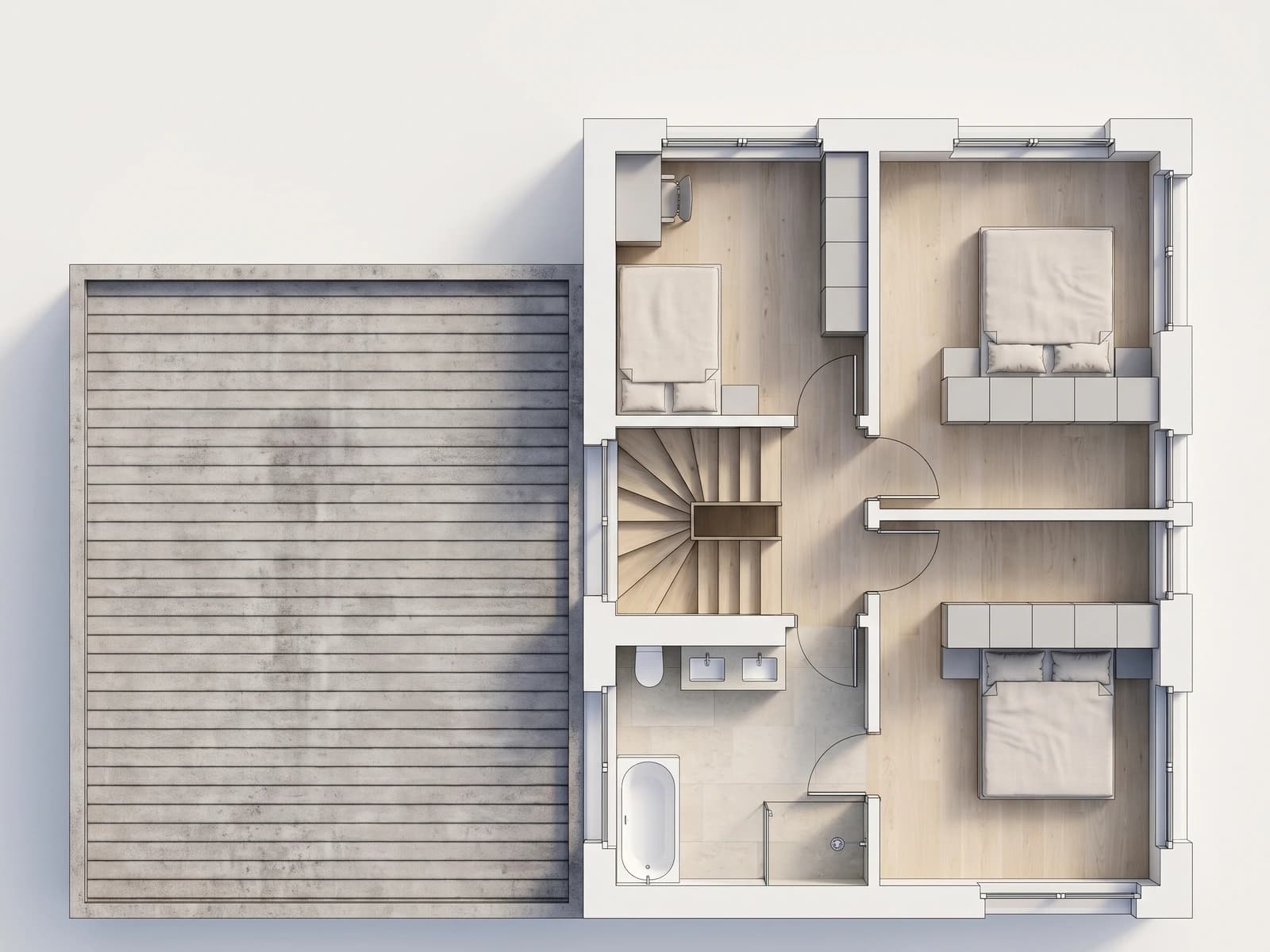
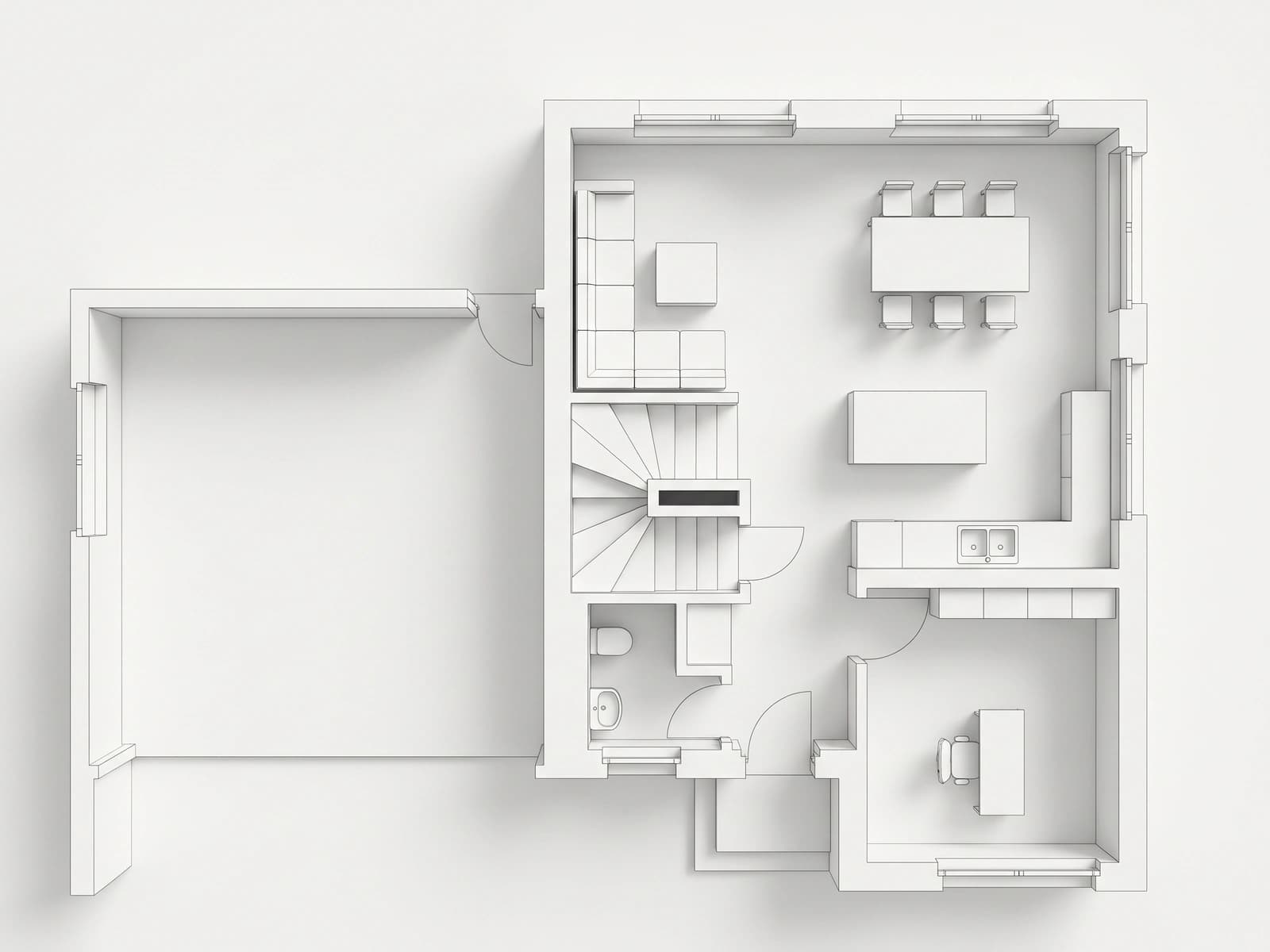
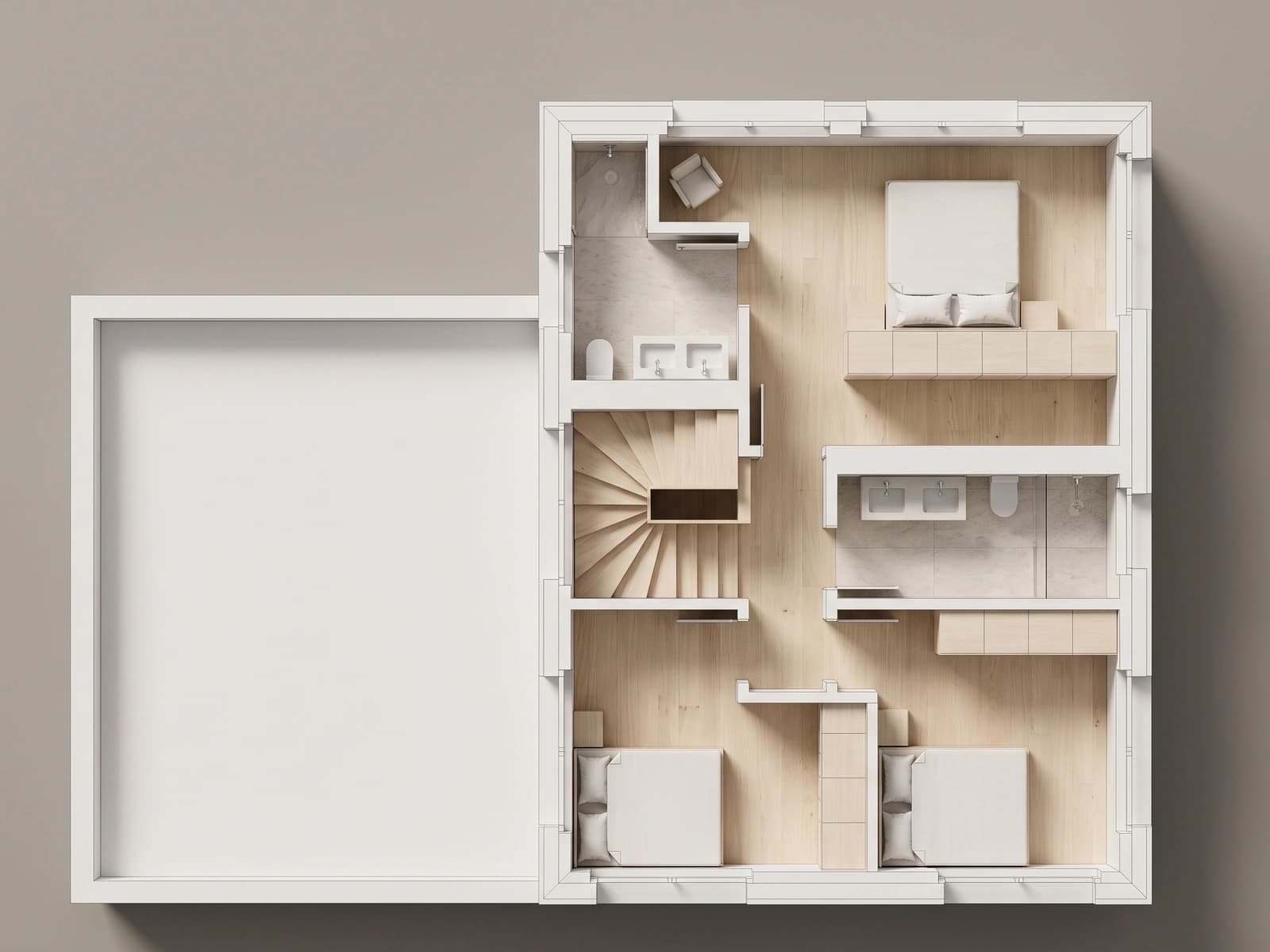
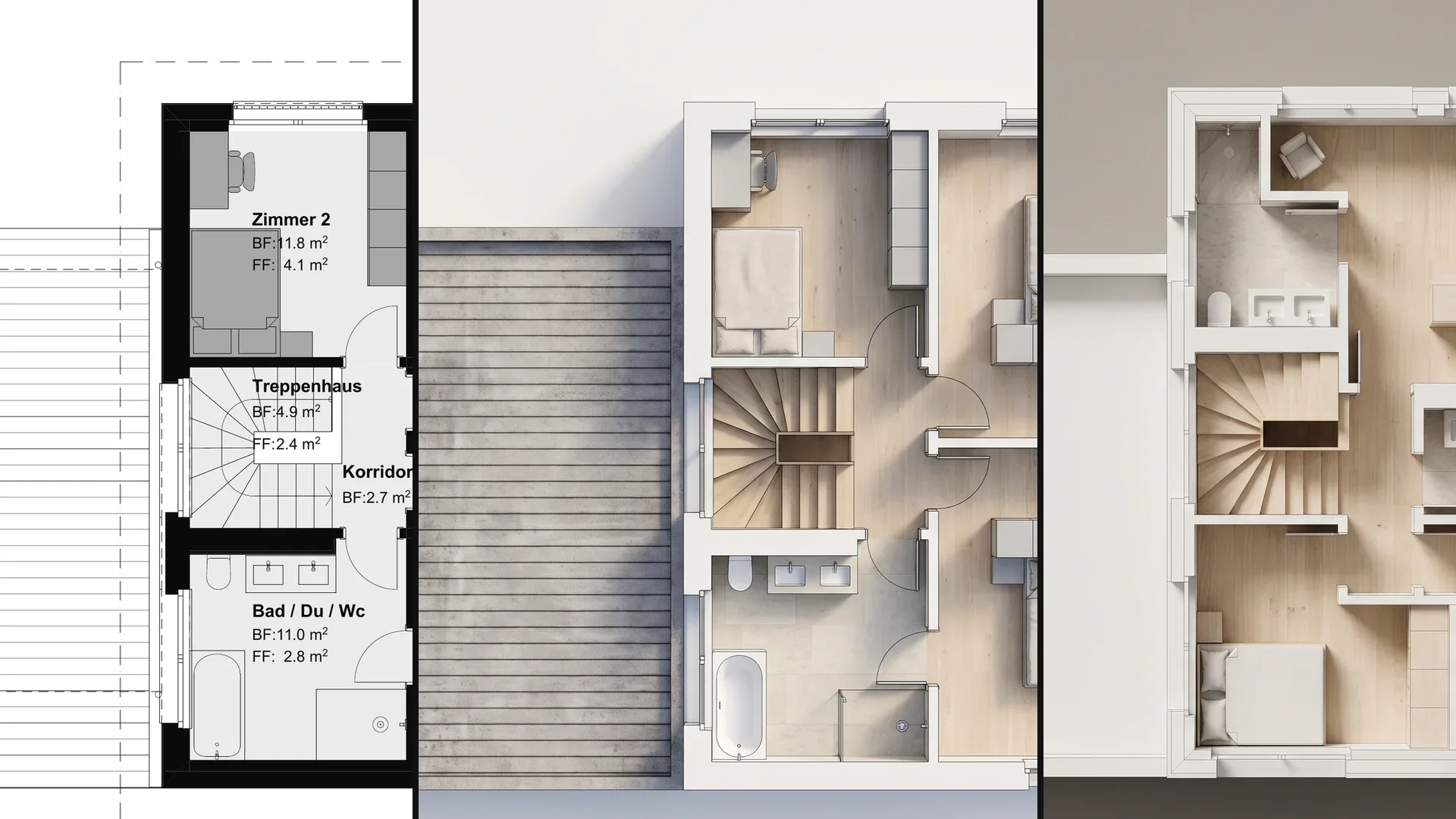
The same plan, four results – depending on what the meeting needs. Click a way to switch from floor plan to result.
01
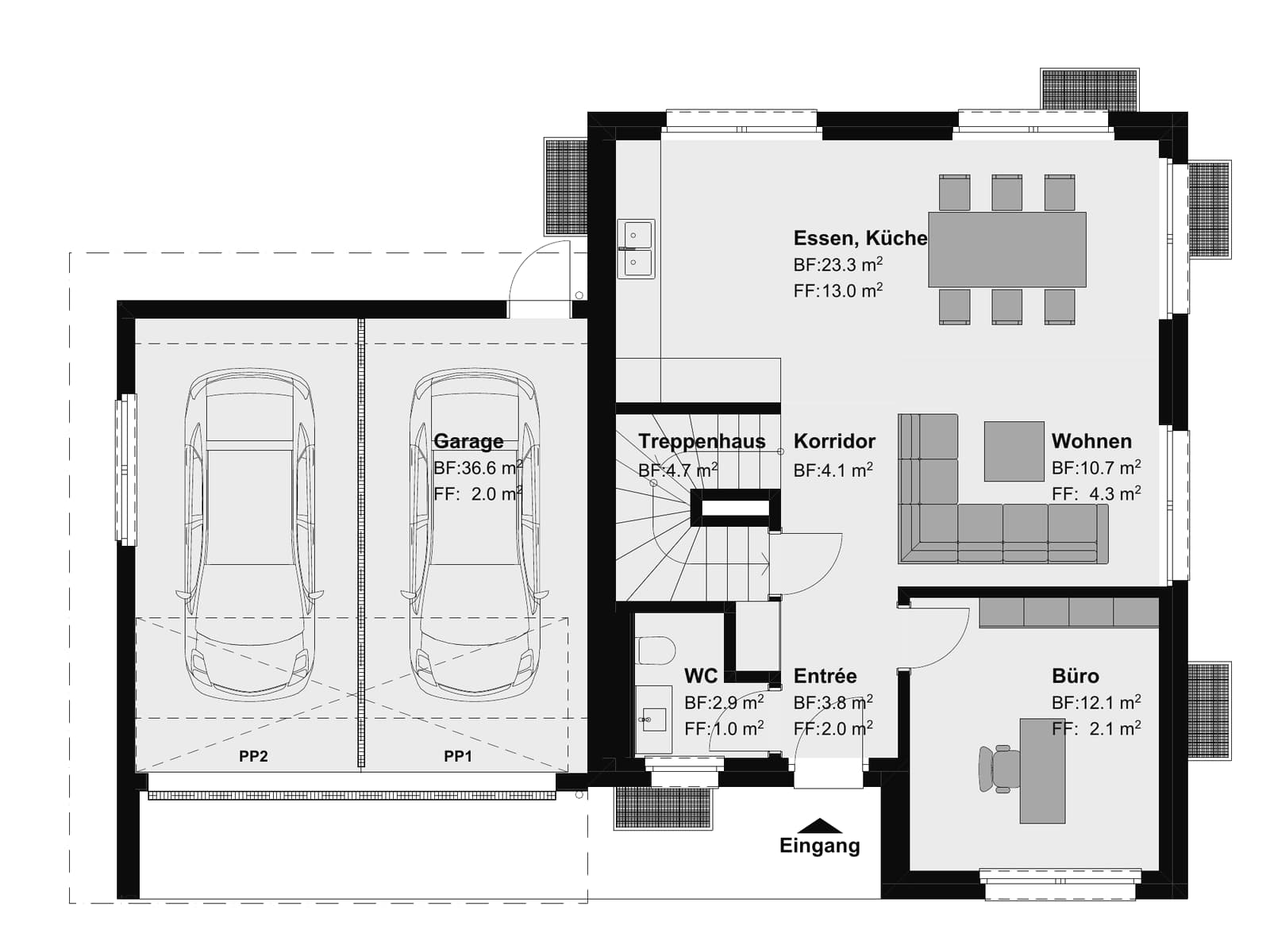
The plan stays a plan but gets floors, walls and furniture in material and color – legible for customers who don't read line drawings.
02
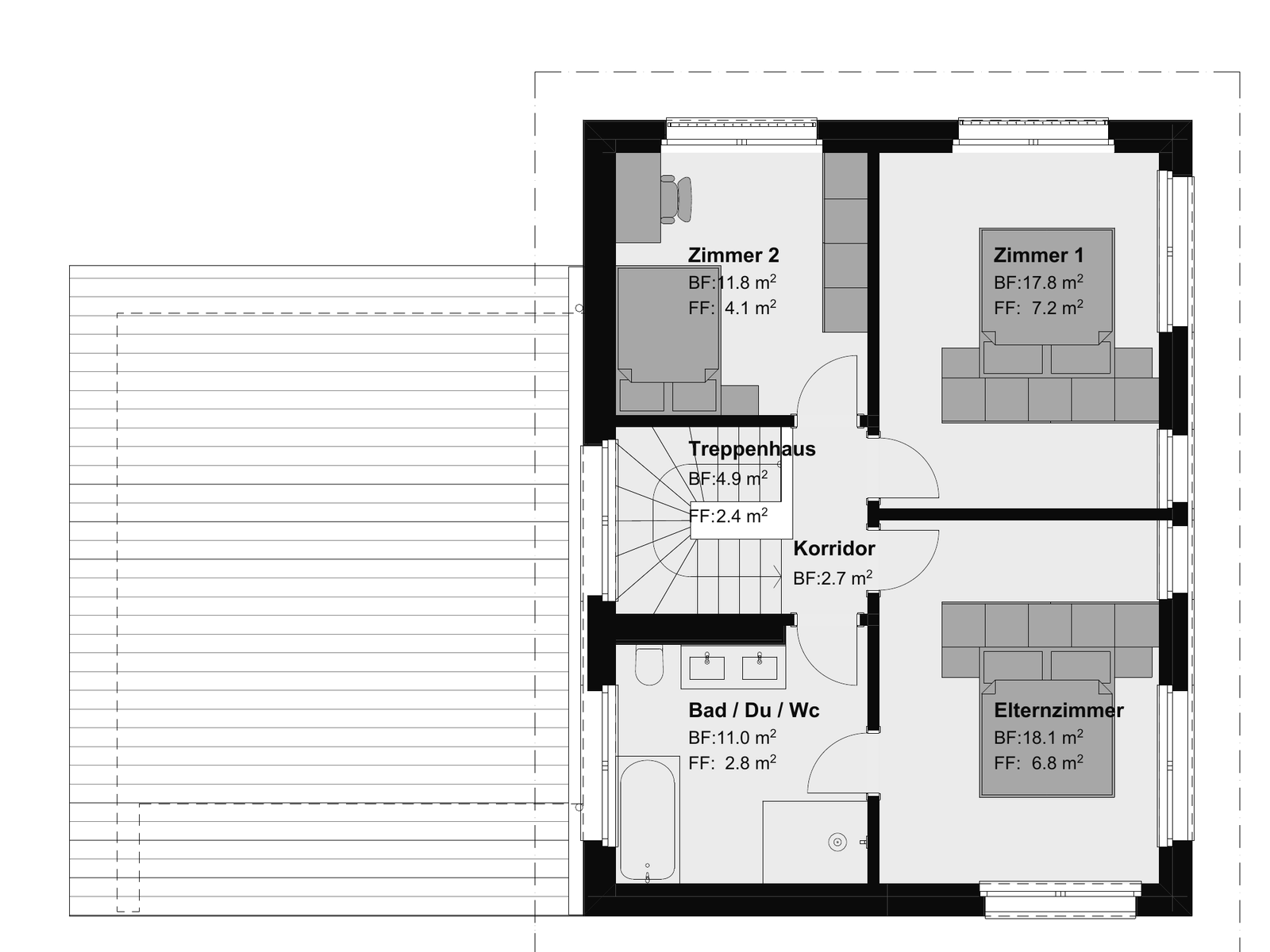
The plan becomes an image from above: rooms with walls, floors, furnishings and light, like a cutaway model.
03
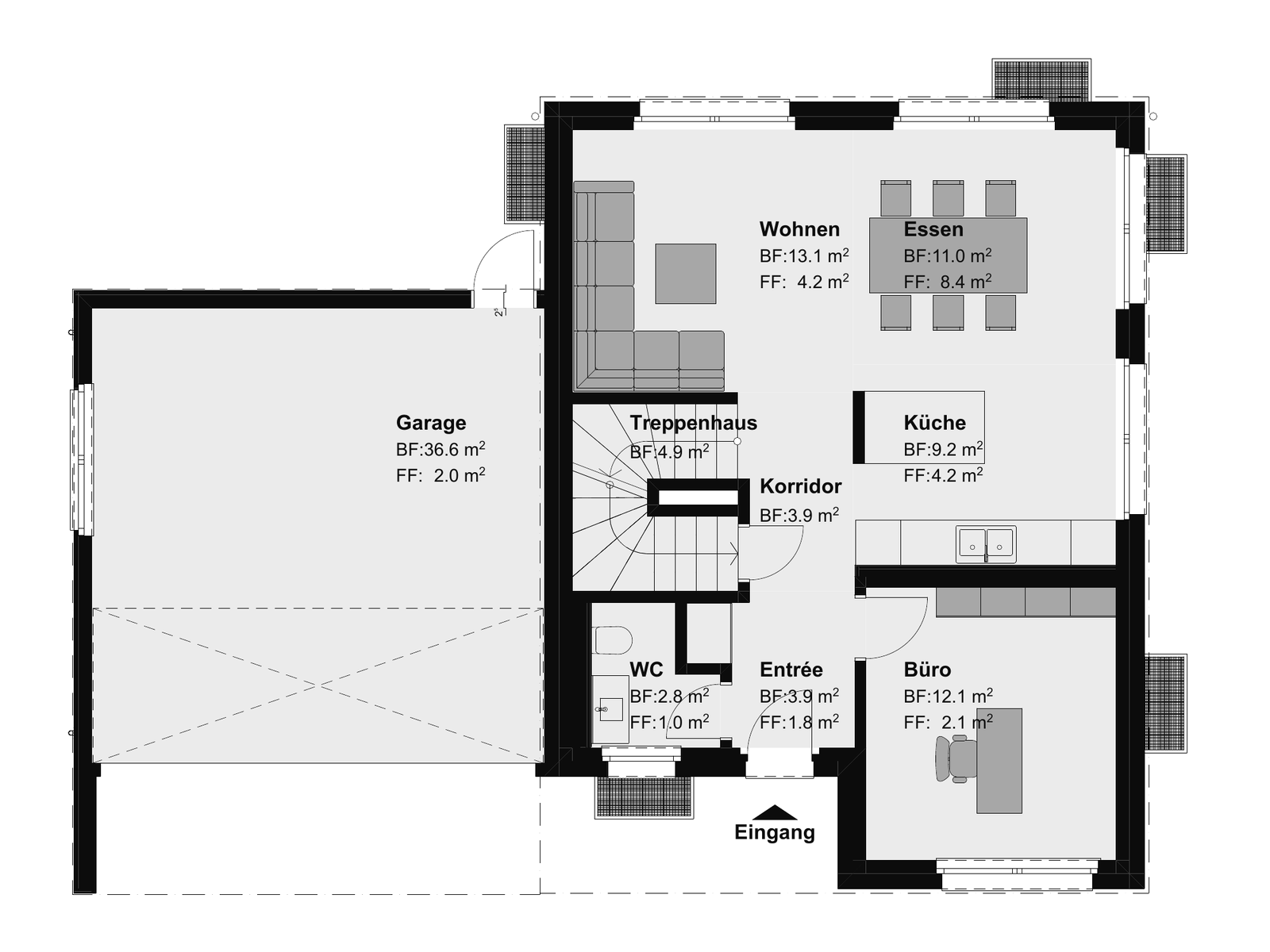
The same view without material: a white model that shows layout and proportion before surfaces are discussed.
04
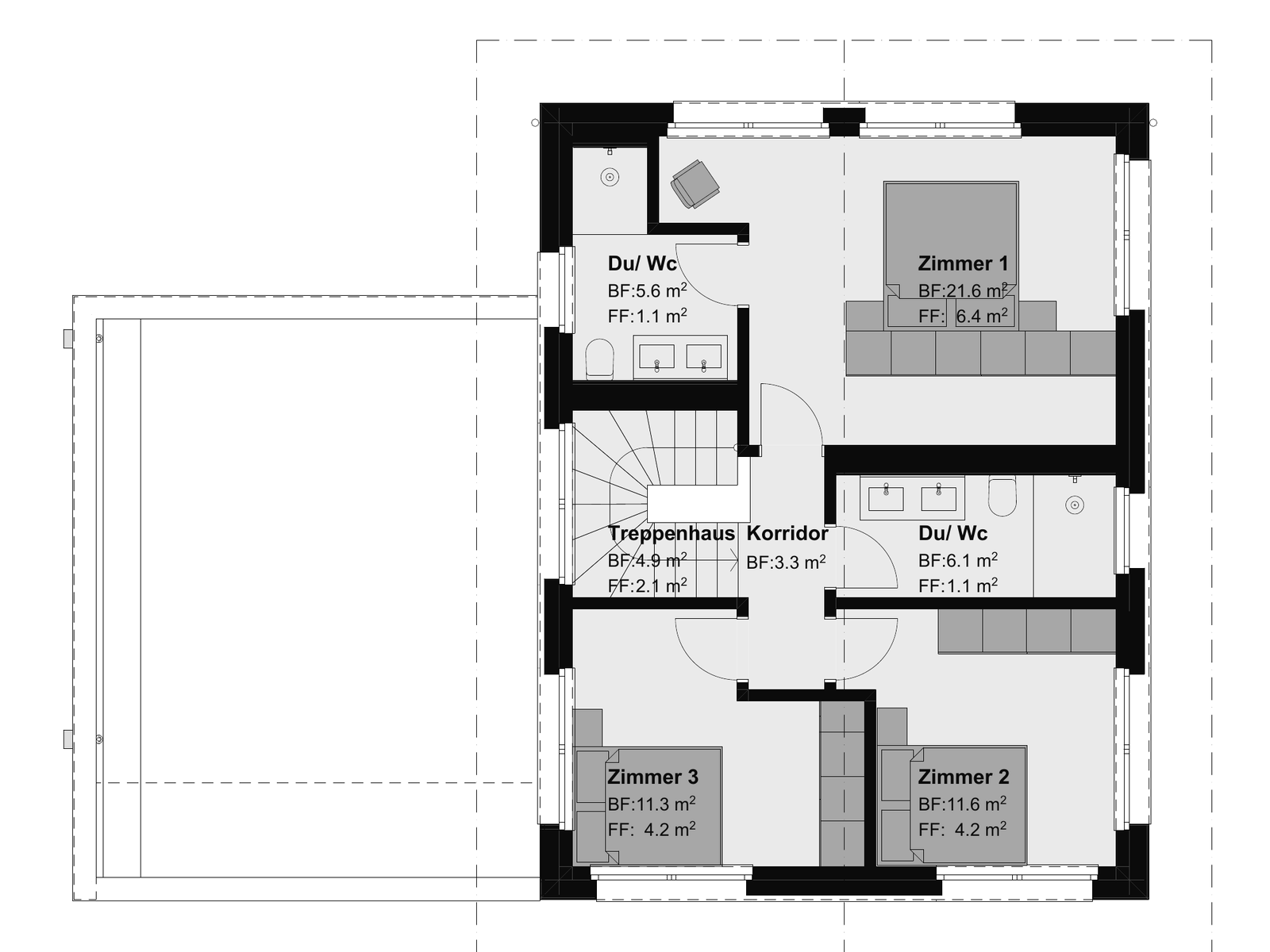
The plan becomes a model in Vizera's 3D viewer that you can rotate, add cameras to and keep working on. We will show it once it is in the product.
For listings, consultations and clients: a floor plan you understand without reading plans – with material, color and furniture, without perspective.
The floor plan as JPG or PNG up to 5 MB – exported from CAD or a kitchen planner, as a scan or as a screenshot of the listing. The clearer the lines and the more legible the doors and windows, the better.
The same plan, colored: parquet, tiles, walls in color, furniture as surfaces. You describe materials and zones in plain language or provide reference images; the plan stays at the scale you uploaded it.
Sales floor plans for portals and brochures, kitchen and bathroom consultations on the plan, furnishing variants for clients – wherever a line plan says too little and a rendering promises too much.
For the imagination: the plan's rooms as a cutaway image with walls, floors, furnishings and light.
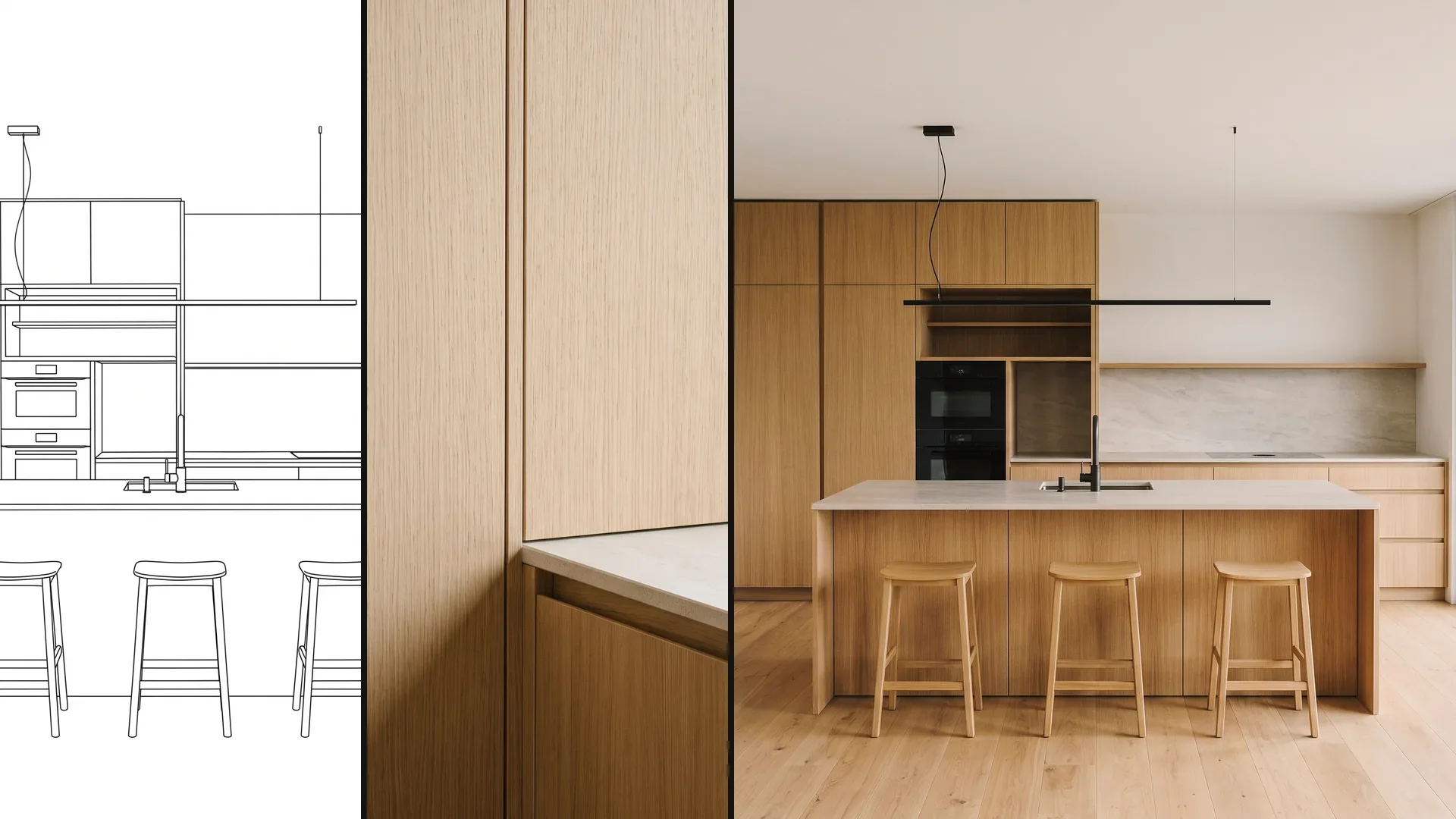
The floor plan as JPG or PNG up to 5 MB and, if you like, reference images for material and style – such as a photo of the planned kitchen front or the floor.
An image of the floor plan from above: walls stand, floors and furniture have material, light falls through the windows. Layout and proportion follow the plan; Vizera adds heights, surfaces and furnishings based on your description.
Pre-marketing new apartments, kitchen consultations, clients' renovation decisions – whenever someone should see the plan as if it were already built.
For the design: the same view from above, but white – so the conversation is about rooms, not parquet.
The floor plan as JPG or PNG up to 5 MB. A clean plan with walls, openings and room labels is enough; furniture in the plan is not a must.
A white model of the floor plan from above, with walls, openings and ceiling height. It shows layout, proportion and circulation – and can then be reused as a source image, for example for material and light.
Design reviews, comparing room layouts, student projects – where the white model shows the planning stage more honestly than a finished image.
The fourth way leads from the plan into Vizera's 3D viewer: a model you can rotate, add cameras to and keep working on. It is in development and not yet in the product.
The floor plan as JPG or PNG – as with the other three ways. You will set additional details such as ceiling height or floor directly in the viewer.
A 3D model of the floor plan in the viewer: walls, openings and rooms as volumes, with freely placed cameras. From it you create images as from any uploaded model – with preserved geometry, from any perspective.
Interior views from the plan, several perspectives of the same apartment, material and lighting variants on the model rather than the image – for firms that work from the floor plan.
This way is in preparation. We are not giving a date; once it is in the product, it will say so here and in the changelog.
The same for every way: upload, describe, compare. You decide which result goes into the meeting.
As JPG or PNG up to 5 MB – from CAD or a kitchen planner, as a scan or as a screenshot. Vizera does not load PDF, DWG or DXF directly; export the plan as an image.
Coloring, 3D image or white model – then material, color and light in plain language or with up to six reference images. If only one room should change, mark it with Masking.
Create several versions, place them side by side next to the plan in Boards and download the chosen one as PNG – for a listing, a consultation or your clients.
Mark an area, show material or style with a reference image, and collect the variants in Boards. Here's how it looks in the app.
01
Mark the room or area that should change – the kitchen, the floor in the living area – and the rest of the plan or image stays as it is. The marked area is recalculated; outside the mask the image may lose a little sharpness.
02
Show material or style with a reference image. The result interprets the sample.
03
Place the floor plan, the colored version and the 3D image side by side – so customers see what the space will become before anything is ordered or built.
Who works from the plan, and what for.
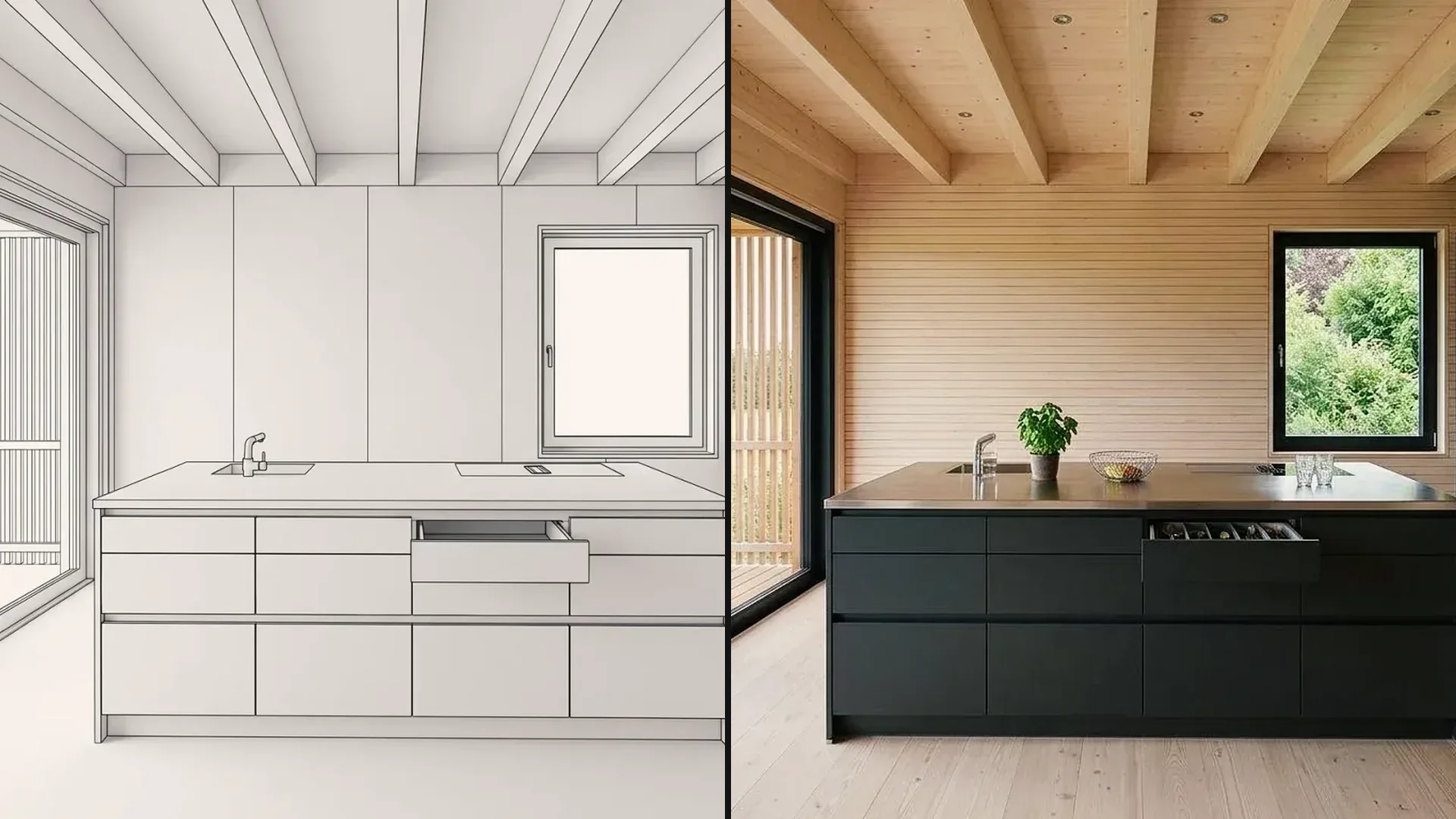
Color a kitchen floor plan or show it as a 3D image – fronts, countertop and floor in the consultation, before the planner renders the perspective.
Compare room layouts as a white model, then decide material and furnishings on the 3D image.
Sales floor plans, colored and as 3D images for portals and brochures – labeled as a design proposal next to the plan.
See the architect's floor plan as a space – kitchen, bathroom, living area – and ask questions before it is built.
Apartment floor plans from a competition or feasibility study as a white model and 3D image for the jury, clients and public participation.
Floor plans from the design studio as a white model for crits, colored for submission.
Try the workflow with a plan of your own first. Free is for non-commercial testing. For consultations and marketing, choose a paid plan.
Annual payment: 12-month term.
For Testing
Free of charge
200 Credits
up to 40 images, depending on model and resolution
Costs less than one external visualization
CHF 1'440/ year
equivalent to CHF 120 / mo
With monthly billing: CHF 150/ mo
Save CHF 360 per year
4'000 Credits
160–800 images or 10–13 videos, depending on model and resolution
excl. VAT · Annual payment: 12-month term
Native 4K and enough credits to never count
CHF 3'168/ year
equivalent to CHF 264 / mo
With monthly billing: CHF 330/ mo
Save CHF 792 per year
10'000 Credits
400–2'000 images or 25–33 videos, depending on model and resolution
excl. VAT · Annual payment: 12-month term
Depending on model and resolution. Subscription credits reset monthly and are used first; purchased credit packs are valid until the end of the third calendar year after purchase.
A convincing image also has to hold up in everyday design work. In Vizera Labs, we test AI models and editing methods on architecture and interior images – with documented comparisons, measurable criteria and human evaluation.
Are the arrangement, openings and proportions of the floor plan preserved in the colored plan, the 3D image and the white model? We compare results with the source and check what is carried over and what is added.
A new floor in the living area should not quietly move the kitchen. We measure what happens inside and outside the marked area during local edits.
How close does the result come to your material sample? We compare reference image and visualization and assess how color, surface and material character carry over.
First the facade, then the light, then the furnishings: we examine how image structure, sharpness and colors change across several editing steps.
More pixels don't automatically mean better detail. We compare upscaled images in close-up and check for convincing structures, smoothing and unwanted textures.
Which model suits which task? We compare models on shared test tasks and evaluate image quality, processing time and cost as the basis for our product choices.
Internal Vizera tests. Results apply to the documented tasks, models and settings. You'll find the test scope and limitations with each study.
The floor plan becomes images for the decision. The plan remains authoritative for dimensions, construction and permits.
Colored plan, 3D image and white model are images: layout and proportion follow the plan; heights, wall thicknesses and door swings are not measured. The editable 3D model is in preparation and will not replace a working drawing either.
Vizera does not create, change or optimize floor plans. If you need a plan, draw it in CAD – Vizera shows how the drawn space can look.
Pixelated scans, cluttered sales plans and missing windows leave a lot of room for interpretation. The cleaner the plan and the more precise the description, the closer the result.
How the individual tools work and what firms and businesses use them for.
Short videos on this topic: follow along step by step in your account.
Answers on formats, choosing a way, coloring, accuracy, drawing, perspective, the 3D model, kitchens and marketing.
JPG or PNG up to 5 MB – an image export from CAD or a kitchen planner, a scan or a screenshot. Vizera does not load PDF, DWG or DXF directly; export the plan as an image. If you already have a 3D model, upload the model instead.
200 Credits free, once on sign-up. No credit card, no installation.
