No plans, no dimensions
Vizera creates images, not plans, quantities or submission documents. What's correct in the model stays in the model; the visualization shows effect, material and surroundings for the decision.
Rendering software calculates your scene, image generators invent houses from text, a visualization studio delivers the approved final image. Vizera turns your 3D model, sketch or photo into a visualization – in the browser, with Masking and Boards. Where the others are stronger is stated on every page.
Lumion, Enscape and V-Ray calculate what's in the 3D scene – with light, library and render time. Vizera takes the same model and turns it into an image in minutes, without a scene.
Animation, walkthrough and object library on a Windows PC – or the image from sketch, export and photo in the browser.
Real time in the modeling software with walkthrough and VR – or the image before the model is detailed.
Physically calculated light from the finished scene – or the plausible image for the decision, in minutes.
Midjourney, image generation in ChatGPT and Stable Diffusion produce impressive images – of buildings that don't exist. Vizera shows the house you are planning.
Mood and visual language without a reference – or your design, private in the project instead of in a public gallery.
The same image model can run in both. The difference: project, Boards, Masking and a connection to the plan instead of chat history.
Full control with your own graphics card, ComfyUI and ControlNet – or the ready-made workflow without a pipeline.
Three limits that recur on every comparison page – so you don't discover them only once you're in a project.
Vizera creates images, not plans, quantities or submission documents. What's correct in the model stays in the model; the visualization shows effect, material and surroundings for the decision.
Still images as PNG, organized in Boards, upscalable for print. For films, 360-degree panoramas, VR and walkable scenes, Lumion, Enscape and V-Ray remain the tools.
With the 3D model in the viewer, the geometry stays as modeled; light and material are depicted plausibly, not physically calculated. From a sketch or photo Vizera interprets, with Masking as a safeguard. How shape-accurate that is, we disclose in the Labs – and you test it on your own project.
The most common comparison isn't with software. When the studio's image remains the right choice, when your own visualization is enough – and what each costs.
For the final competition image, the marketing campaign or an animation, a visualization studio remains the right choice: camera, light and entourage are fine-tuned over days. Depending on the studio and scope, expect several hundred to over a thousand francs per image and one to three weeks.
In design, for client meetings, for facade variants or public participation: your 3D model, CAD export or photo becomes an image in minutes – in the browser, as often as you like, with your geometry as the basis.
Many firms settle perspective, material and mood in Vizera and give the visualization studio an image instead of a description. That saves revision rounds – on both sides.
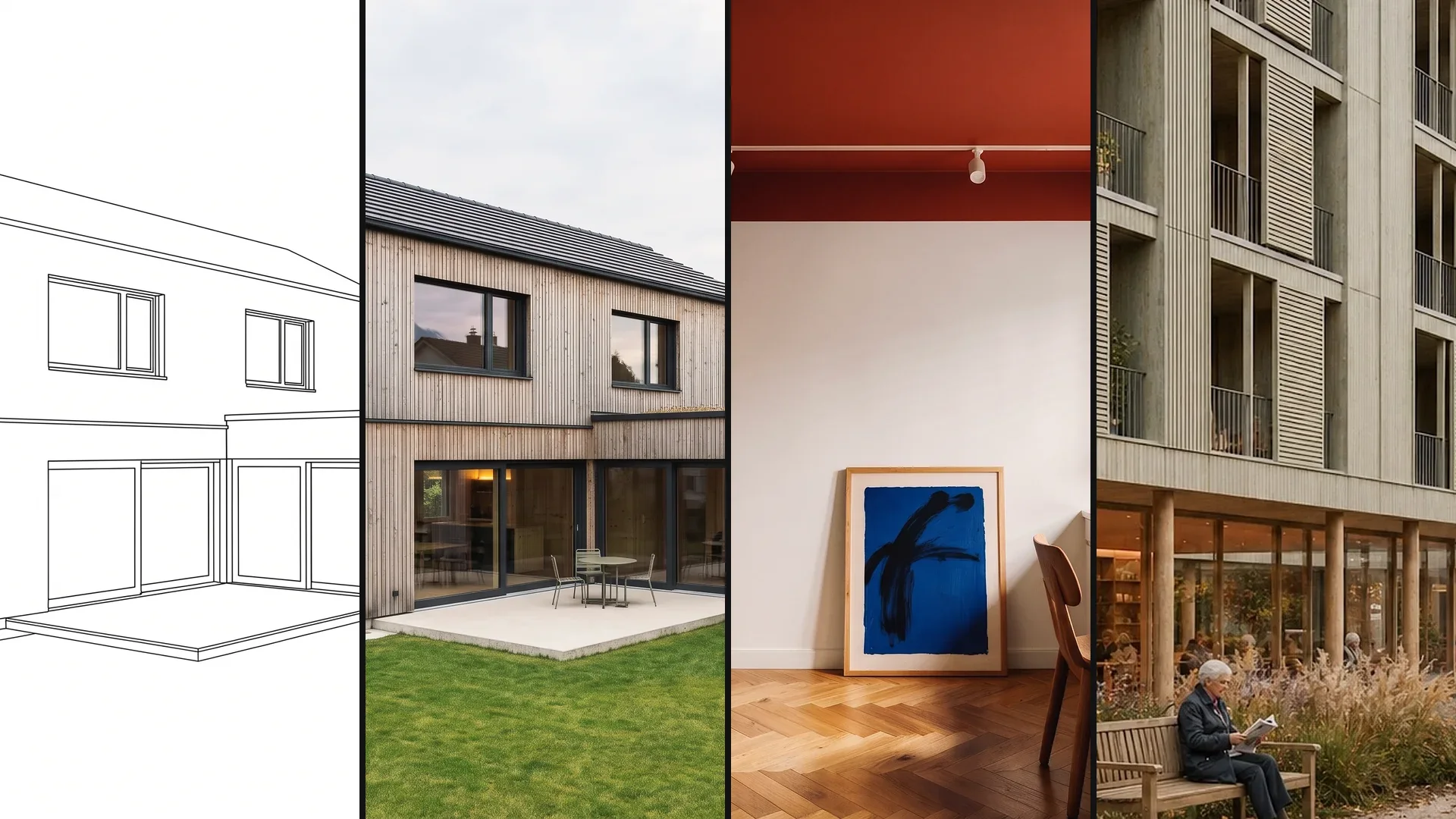
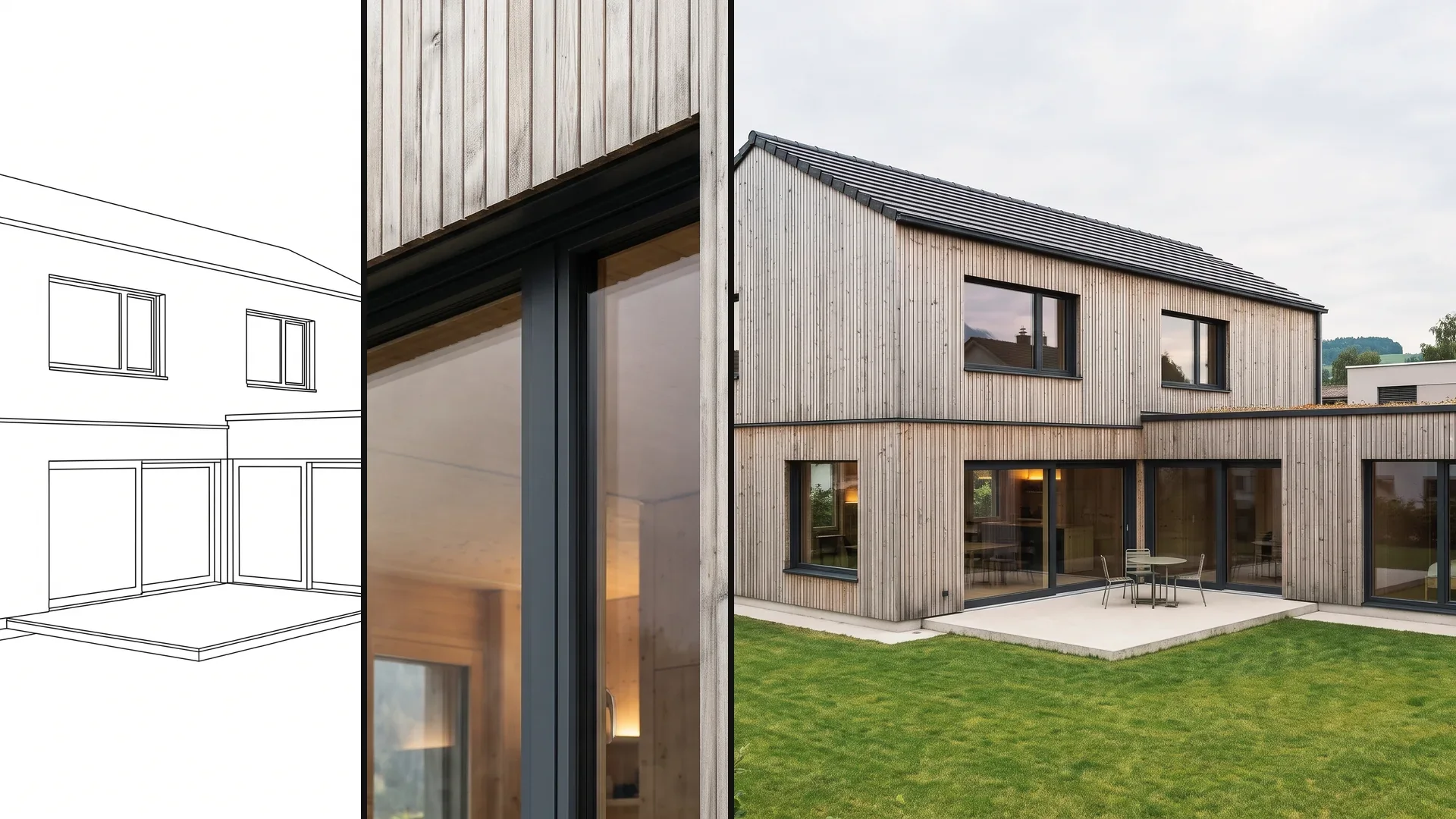
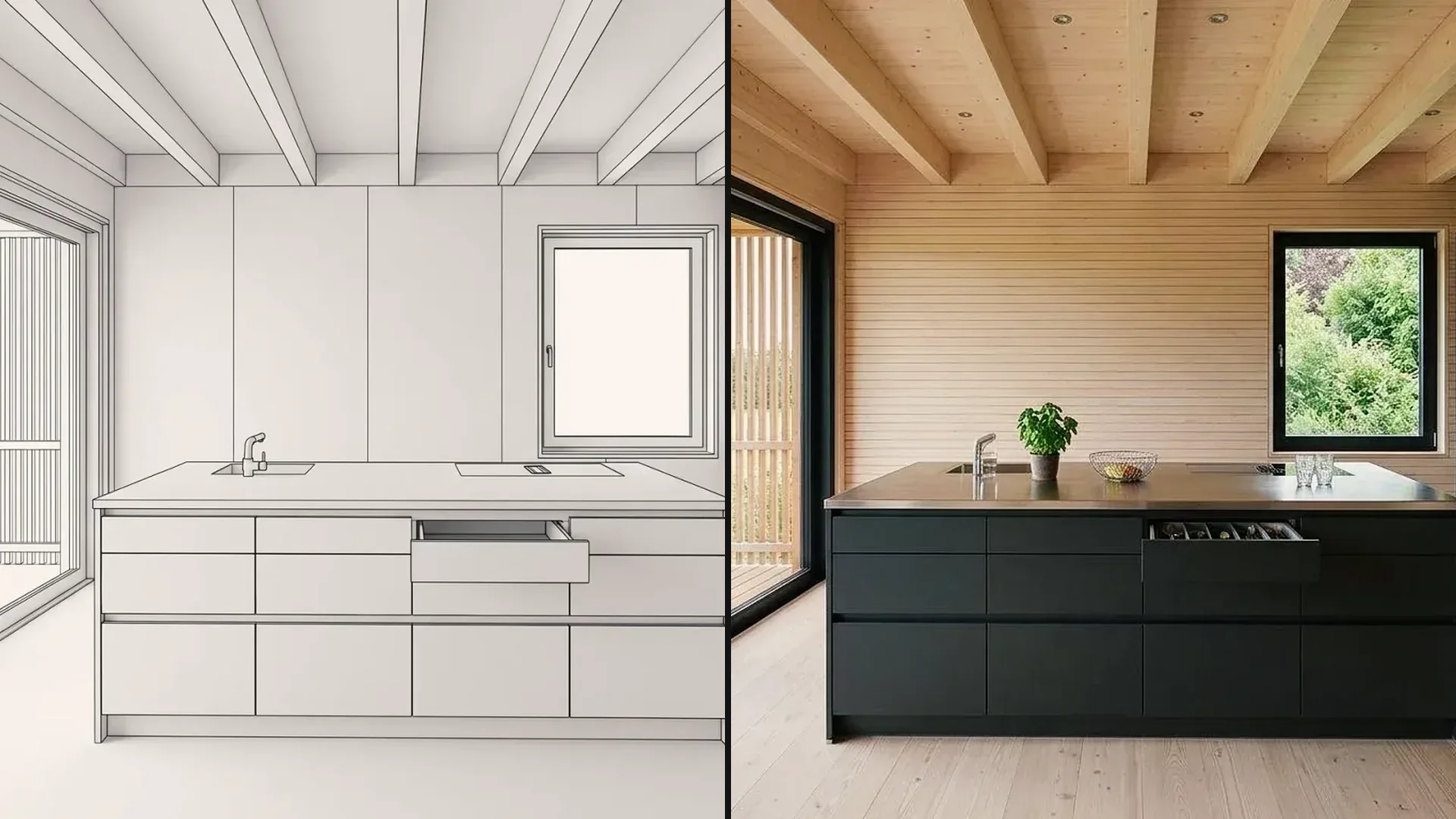
White models and CAD massing and the visualizations created from them. Click an image to see the versions.
Test the workflow first with one of your own projects. Free is for non-commercial testing. For use in client projects, choose a paid plan.
Annual payment: 12-month term.
For Testing
Free of charge
200 Credits
up to 40 images, depending on model and resolution
Costs less than one external visualization
CHF 120/ mo
With monthly billing: CHF 150/ mo
Save CHF 360 per year
4'000 Credits
160–800 images or 10–13 videos, depending on model and resolution
excl. VAT · Annual payment: 12-month term
Native 4K and enough credits to never count
CHF 264/ mo
With monthly billing: CHF 330/ mo
Save CHF 792 per year
10'000 Credits
400–2'000 images or 25–33 videos, depending on model and resolution
excl. VAT · Annual payment: 12-month term
Depending on model and resolution. Subscription credits reset monthly and are used first; purchased credit packs do not expire.
How the individual tools work and what firms and businesses use them for.
Short videos on this topic: follow along step by step in your account.
Answers on choosing, rendering software, image generators, visualization studios and data.
Ask what you have and what it should become. Should someone walk through the model: Enscape or Lumion. Does the one image have to be physically correct: V-Ray or a visualization studio. Looking for a mood without a design: Midjourney or the AI moodboard. Need images of your design for decisions, variants and meetings – from a model, sketch or photo, in minutes: Vizera.
200 Credits free, once at sign-up. No credit card, no installation.
